My preferred Linux distribution for many years has been openSUSE Tumbleweed. This is a rolling distribution which has a good record of stability with the added advantage of of default implementing system snapshots using the BTFRS filesystem, so if there are any issues with an update is is simple to revert to system to an early stable state. After installing Tumbleweed on the XPS 14 with a Intel Ultra X7 358H (aka Panther Lake), and running some benchmarks performance seem excellent e.g. Geekbench 6
https://browser.geekbench.com/v6/cpu/17834244
Geekbench is fine as a quick easy to run benchmark and looking at performance in bursty loads rather than sustained performance. When looking at more stain loads e.g. a Linux kernel compile or a Blender render performance was lower than expected. For example using Phoronix Test Suite and running a Linux kernel compile (defconfig) was about 150-160 seconds - monitoring temperatures shown no thermal issues and core frequency running at less than 2Ghz, there seem to be a lot of performance missing. This performance also was slower than testing the laptop using a Ubuntu 26.04 install, which had a compile time of about 120 seconds. One configuration difference between Tumbleweed and Ubuntu was the use of thermald in the Ubuntu install.
What is thermald?
thermald is a user space daemon for managing optimising thermal conditions of a processor, a open source project from Intel, with laptops being the primary use case. While there was no obvious thermal issues it seem sensible to install and activate in the Tumbleweed install and see the impact.
Install and Activating
It is straightforward to install either via the GUI (YaST Software Management) or command line:
sudo zypper install thermaldTo start use:
sudo systemctl start thermaldand if you where to want run automatically in future:
sudo systemctl enable thermalRunning the blender benchmark tool from https://opendata.blender.org/
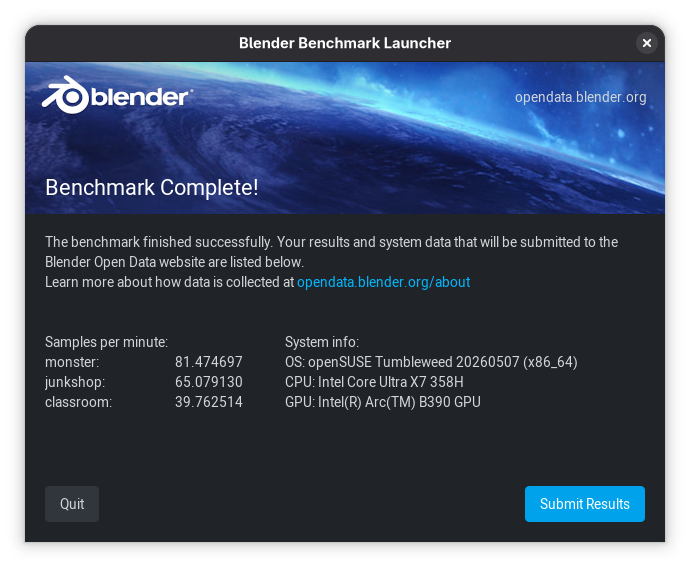
With performance mode activate and thermald not active the following results:
With performance mode activate and thermald active the following results:
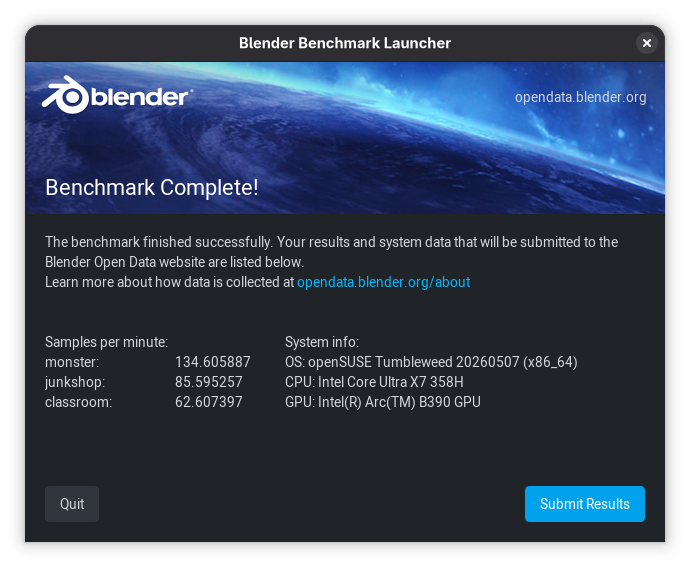
As you can see a very large improvement
For Monster render 65% improvement, 31% for Junkshop and 57% for Classroom, so very real and substantial improvements.
I also have some test on Openbenchmarking using the Phoronix Test Suite with have more techincal information if interested:
https://openbenchmarking.org/result/2605022-NE-PANTHERLA26
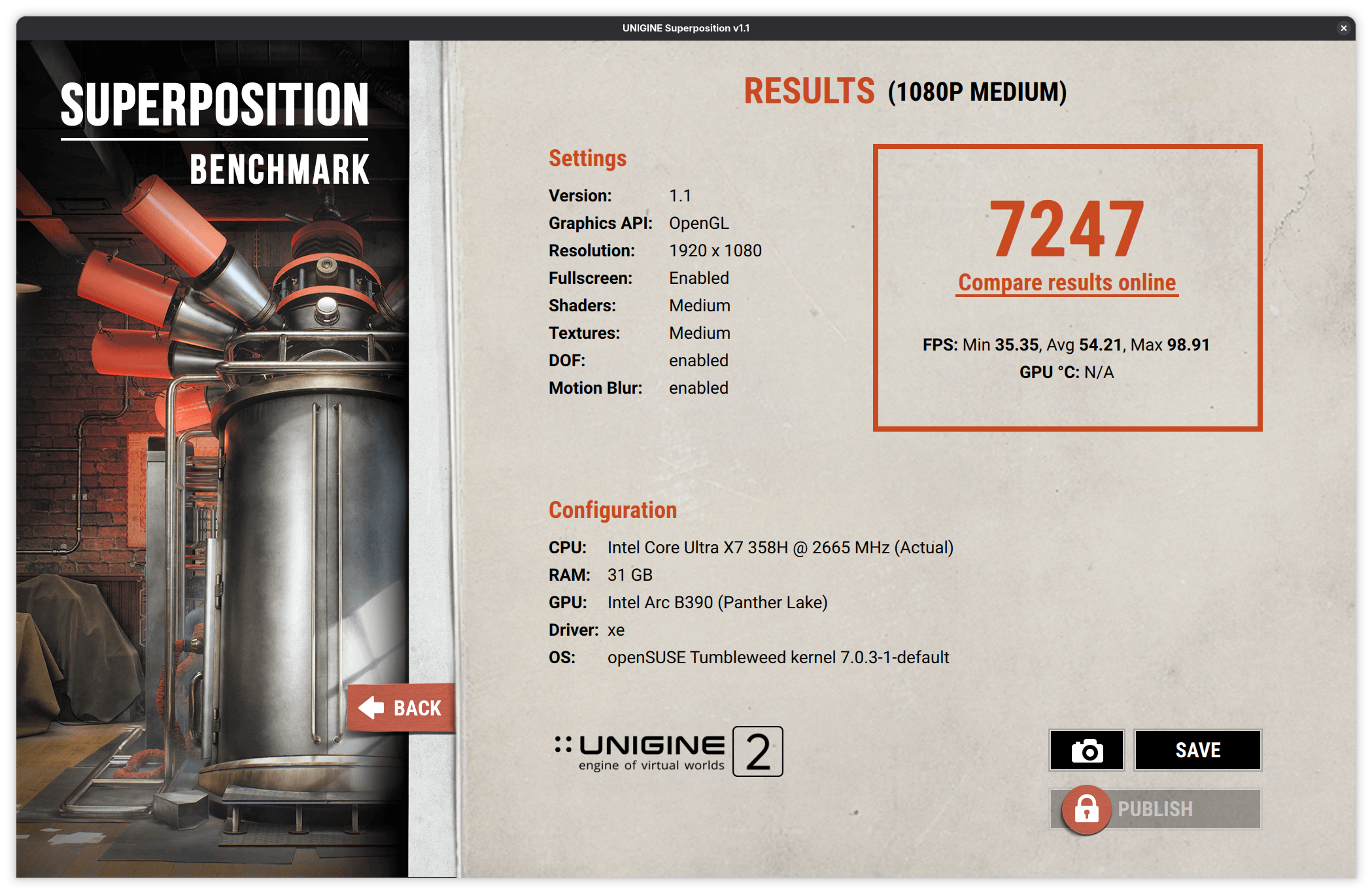
Finally, I was surprise that using thermald also improvement graphics performance, here are a couple of tests with Unigine Superposition benchmark:
Thermald not active
Thermald Active
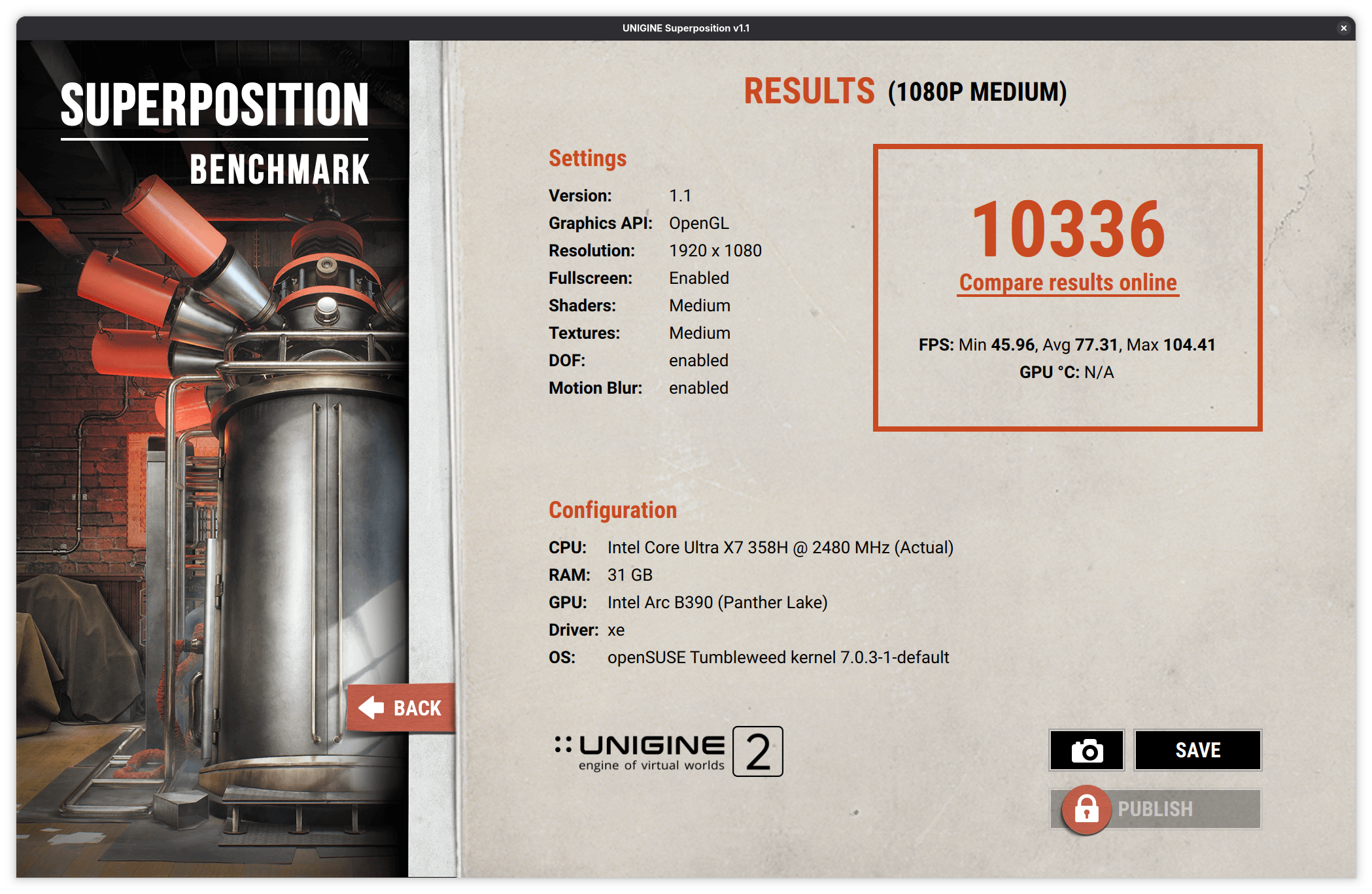
An over 42% improvement...a very significant improvement.
Finally with regards to this I also retest the Linux compile times and these also show the now expect improvements, thermald inactive 152.5 seconds while when active just 112.6 seconds - full details can be seen at:
https://openbenchmarking.org/result/2605104-NE-PANTHERLA19
I will be doing a detail review of the XPS14 which is an excellent laptop in the next couple of weeks, also I will be undertaking some comparisons between the XPS14 and earlier XPS13 running an 12th Gen Intel processor Alder Lake chip.